Safety is built into every step
Inviting a tutor into your home is a big decision. Here is exactly what we check, what you can check yourself, and what happens if something goes wrong.
Check a tutor's ID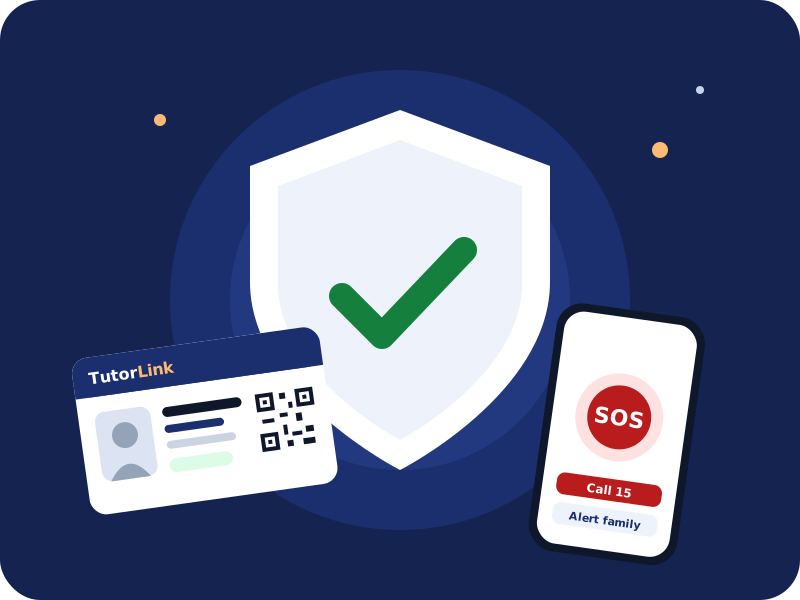
1 · Before you meet
Five layers of checks
- 01
Phone verified
Every account is confirmed through WhatsApp or SMS.
- 02
CNIC checked
Both sides reviewed by our team. The name must match the profile.
- 03
Degree checked
The qualification on the profile must match the certificate.
- 04
Photo matched
A clear face photo that matches the CNIC.
- 05
Police verified (optional)
A police character certificate, checked by us and valid for one year.
A name change sends the profile back for a fresh CNIC check. Verification lowers risk but can't predict behaviour, so please also use the tools below.
2 · At the door
Check the TutorLink ID before they come in
Every verified tutor carries a TutorLink ID with a QR code. Scan it with any phone camera to see their photo and whether the card is valid right now.
- Live status: valid, expired or suspended
- Photo and name to match the person at your door
- No CNIC number, phone or address is ever printed
Ayesha S.
TL-T-00042
Maths · Physics
Verified · ID valid3 · During classes
Know what's happening, even when you're not home
Arrived and left alerts
A notification when the tutor checks in and when the class ends.
Female tutors and family at home
Ask for a female tutor, or tell tutors a female family member will be home.
Share visit details
Send family the tutor’s name, ID and visit time in one tap. Tutors can do the same.
SOS button
Alerts our safety team with your location, calls 15 and texts your emergency contacts.
4 · Your privacy
Your details stay private until you choose
- Tutors see your area, never your address, until you book a demo
- Phone numbers are shared only after hiring
- Numbers and links typed in chat are hidden automatically
- CNICs and certificates are seen only by TutorLink staff
5 · If something goes wrong
We act on every report
- Report a tutor or family from the app at any time
- Two missed demos or "no ID shown" reports hide a tutor until we review
- Free replacement in the first month
- Accounts that break our rules are removed
In an emergency, call first
TutorLink's SOS is a help tool, not an emergency service.
Safety questions
How do I check a tutor’s ID?
Scan the QR code on their TutorLink ID with any phone camera, or type the ID number on our Check a tutor’s ID page. It shows live whether the card is valid.
What does the SOS button do?
It alerts the TutorLink safety team with your location if you allow it, and lets you call Police 15 or Rescue 1122 and text your emergency contacts in one tap.
When is my home address shared?
Only with a tutor you book a demo with. Phone numbers are shared only after you hire.
What happens if I report a tutor?
Our team reviews every report. Tutors with two missed demos or "no ID shown" reports are hidden from new requests until we review, and accounts that break our rules are removed.
Find a verified tutor today
Free for parents. Free demo class.